



Start with what you’ve already written
Most keyword tools ask you to type a topic into a box and hand back a list of terms with numbers attached to them, numbers you usually can’t check. Content Gap Finding Engine works from the other direction. You give it one source you already have, a finished book, a published article, a video transcript, a newsletter, an existing draft, and it researches around that specific piece of work instead of a topic pulled out of thin air.
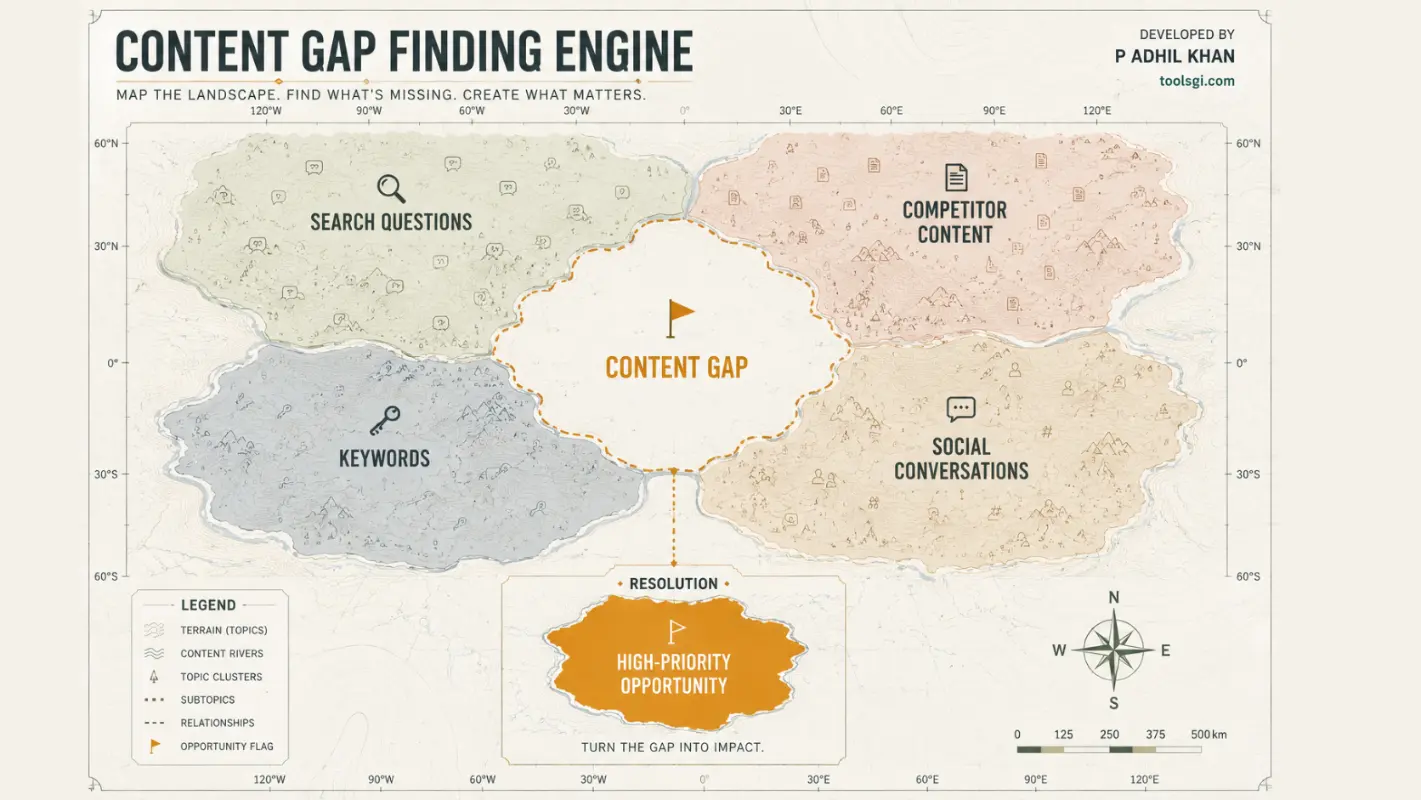
That’s the core idea behind this content gap analysis tool: your own content is the research seed. The engine reads what your source actually covers, checks what real searchers are asking around that subject, looks at what competitors have already published, and comes back with a shortlist of what’s missing and worth building next, sourced end to end.

How the research pipeline runs
The engine follows a fixed sequence every time, which is also why the output is reproducible instead of a one-off answer that changes if you ask again tomorrow.
It reads your source first, before touching anything external. That gives it a picture of the topic, the audience, and where the source looks thin, so every later step stays anchored to your actual material rather than a generic subject.
From there it pulls public search signals: autocomplete suggestions, search-results evidence, and related queries from sources like Google, Bing, and DuckDuckGo. If your source is a book, it adds Amazon-derived signals, always labeled as engine-derived proxies rather than official sales data. It checks public social and question sources such as YouTube, Reddit, and Quora where those are reachable, and it reports plainly when one of them blocks the request instead of quietly skipping it. It looks at competitor sitemaps to see what’s already been published in the space, and it pulls reader-question signals from across everything above.
Every keyword that comes out of this gets scored against a published formula: relevance, audience fit, search intent, demand signal, gap size, competitor weakness, differentiation, and a few smaller weighted factors. A cannibalization check compares each candidate against a content table you supply, so the report tells you whether a topic is genuinely new, needs a refresh, should be merged with something you already have, or shouldn’t be created at all.
Gaps get validated against more than one signal before they make the final list. A topic doesn’t qualify just because one competitor mentioned it once. Each surviving opportunity then gets an opportunity score from 0 to 100 and a separate evidence-confidence score, because a high-scoring idea with thin evidence is a different decision than a lower-scoring idea backed by solid sources.
If you have a compatible writer skill installed, the finished research brief can flow straight into a first draft. If you don’t, the research brief itself, keywords, gaps, opportunities, and the full evidence trail, is the deliverable. Either way, every run gets its own run ID, so you can re-run it later and compare results directly.
What “content gap” actually means here
A keyword is a search term. A content gap is different: it’s a topic your source doesn’t cover but the surrounding evidence says it should, based on what real searchers are asking and what competitors have already addressed. The engine keeps these as two separate outputs on purpose, because a good keyword with strong search demand and a real content gap with a genuine hole in the market aren’t the same decision.
Cannibalization sits alongside both. Before a topic makes the final opportunity list, the engine checks it against a content table you supply yourself, listing what you’ve already published. Each candidate then gets one of seven verdicts: new, refresh, expand, merge, consolidate, redirect, or do not create. That last one matters as much as the others. If a topic is already well covered on your own site, the tool says so instead of recommending you write a piece that competes with your own work.
The full pipeline, stage by stage
Under the hood, a single run moves through content intelligence, search intelligence, Amazon intelligence when the source is book-shaped, social intelligence where those sources are reachable, competitor intelligence, reader-question intelligence, keyword discovery, coverage analysis, the cannibalization check described above, gap detection, gap validation, opportunity scoring, evidence-confidence scoring, a ranked opportunities list, optional content production if a writer skill is installed, a QA pass, and export. Every stage writes to the same evidence ledger, so nothing produced later in the run is disconnected from where it came from earlier.
The evidence ledger
This is the part that separates the tool from a typical AI content generator. Every keyword, every gap, every opportunity in the report carries a source, an evidence class, and a confidence score. If a source is blocked or a signal can’t be confirmed, the report says so instead of filling the gap with a plausible-sounding number. Nothing gets a fabricated search volume, a made-up keyword difficulty score, or an invented traffic figure.

A real run, on the record
The engine’s own test suite includes a demo run on a 23,716-word manuscript. That run produced 34 scored keywords, 34 validated content gaps, and 15 ranked opportunities, backed by 51 separate evidence-ledger entries, and it’s the baseline the engine’s own version-control documentation names for the current release. Those figures are checkable against the engine’s shipped test artifacts, not a marketing estimate. The demo book is only there to show the workflow. When you run the tool on your own manuscript, article, or transcript, it researches that, not someone else’s writing.
What you can feed it
The engine accepts books and ebook manuscripts, articles, blog posts, webpages by URL, YouTube transcripts, social content, newsletters, research reports, and existing drafts. It only asks book-specific questions, chapter structure, premise, positioning, when your source is actually a book. Feed it an article and it skips straight past those.
One thing worth saying plainly rather than glossing over: PDF is not currently a supported input in the tested release. If your source is a PDF, convert it to a plain text or markdown file first. This is a real limitation, not a technicality, and it’s listed here so you know before you buy.
What you get back
- A keyword list, each term scored and flagged as a target, secondary, or skip
- A content-gap list, showing what your source doesn’t cover and why the evidence says it matters
- A ranked opportunity list, each item with a suggested platform, format, and its supporting evidence IDs
- The full evidence ledger: every source, evidence class, and confidence value behind the report above it
What it deliberately doesn’t do
It doesn’t invent search volume, keyword difficulty, CPC, traffic, rankings, or sales figures. Where official search-volume data would normally sit, it reports the number as unavailable unless you’ve added your own Google Ads credentials, which are entirely optional. It doesn’t have a YouTube Data API connection; it uses public YouTube search and suggestion signals instead.
It doesn’t crawl your live website; the cannibalization check works against a content table you supply yourself. It doesn’t log into any account, doesn’t publish anything on your behalf, and it doesn’t write your finished article. The engine’s job stops at the research brief. Turning that into a published piece is either your own writing or a separate, installed skill that uses the brief as its evidence base.
This isn’t an oversight. A tool that promises to research, write, and publish everything for you gives you nothing you can actually check. This one draws the line at research and shows its work the whole way up to that line.
Why a fixed pipeline beats a single chat prompt
Typing “give me content ideas for my book” into a chat window returns ideas, sometimes decent ones. It doesn’t return a process you can repeat. Ask the same question next week and the answer changes, with no way to tell which parts were grounded in real search behavior and which were a guess. This engine runs the same pipeline against real, timestamped public sources, scores everything with a fixed formula, and records where each finding came from. Run it again next month on the same source and the two runs sit side by side.
Where it fits next to a full SEO suite
Subscription suites give you things this tool doesn’t attempt: index-scale backlink data, official search volume at scale, rank tracking over time, team dashboards. This isn’t a replacement for any of that. What it adds is a different starting point, your own document instead of a keyword typed into a box, plus a transparency layer, the evidence ledger, that most subscription tools don’t publish at all. If you already pay for a full suite, run your source through this one first and walk into the suite with a shortlist grounded in your actual material instead of a blank search box.
One license, no recurring bill
Most tools in this category run as a monthly subscription. This one doesn’t. It’s a one-time license: you buy it, you run it as often as you want on as many of your own sources as you want, and there’s no recurring charge tied to how many research runs you do in a month. That matters most for authors and solo creators who need real research a handful of times a year around a launch or a content push, not every single day, and don’t want to pay for a subscription they’d mostly leave idle.
What’s included
The engine itself, the setup documentation, the built-in health check command, and the full command set covering research, keyword discovery, gap detection, opportunity scoring, competitor analysis, and report export. Support and update terms follow the shop’s standard policy, listed on the product page at checkout.
Optional credentials, never required to start
The engine works completely without any account or API key from the first run. If you later want official keyword-volume numbers instead of the autocomplete and search-results-based demand signals it uses by default, you can add your own Google Ads keyword-planner credentials. If you want X-specific social signals folded into a run, you can add your own X bearer token. Both are entirely optional add-ons, checked and reported clearly as available, valid, invalid, or not provided, and the tool never silently assumes a credential works when it doesn’t. Most buyers never need to touch this section at all.
Requirements
Python 3.10 or later. Basic comfort in a terminal, since there’s no graphical interface in this version. An internet connection for any step that pulls from a live public source; your source file and your results stay on your machine either way. No account, login, or credential is required to start. Google Ads and X credentials are optional add-ons if you want official keyword-volume data or X-specific signals later.
Who this is for
Self-published authors and writers with a finished manuscript who want a research-backed plan for what to write around their book, blog posts, newsletter issues, or social content that all trace back to something they’ve already published. Solo bloggers and niche-site owners who need a repeatable way to check what their existing content is missing before they sit down to write the next piece.
Freelancers and consultants who want a reproducible, evidence-labeled research process they can hand to a client with the sources attached, rather than a list of suggestions the client has to take on faith. Anyone who’s comfortable running a command-line tool and would rather own a one-time license than carry another monthly subscription for research they don’t need to run daily.
Who should hold off for now
Anyone who needs a graphical interface right away. Anyone whose only source is a PDF they can’t convert first. Teams that need shared dashboards or multi-seat access. Anyone expecting official search-volume numbers out of the box without adding their own credentials. Anyone looking for a tool that writes and publishes the finished content automatically, since that’s a separate step here, not a built-in guarantee.
Tested and reproducible
The engine passes 79 out of 79 of its own unit tests and its built-in health check reports 21 non-failing checks and 0 failures. It ships with 17 registered research adapters spanning search, social, Amazon, and competitor sources, each one documented for what it returns and how it fails when a source blocks the request. Every run is tied to a run ID, so a report generated today can be checked against a report generated on the same source next month, term for term. None of this is a promise about what your specific results will look like; it’s a statement about how the tool itself has been checked before it ever reaches a buyer.

What makes this a content gap analysis tool, not a keyword tool
The distinction is worth making plain, because the two get used interchangeably in marketing copy that isn’t this careful. A keyword tool tells you what people search for. A content gap analysis tool goes one step further: it compares what you’ve already published against what people search for and what competitors already cover, then tells you specifically where the hole is. This engine does both, but the second part, finding the actual hole rather than just handing you a term list, is the part it’s built around, and it’s the reason the evidence ledger exists at all. A keyword without a gap behind it is just a word. A gap without evidence behind it is just a guess.
The honest bottom line
This tool doesn’t promise to write your content or guarantee a ranking. It takes something you’ve already made and tells you, with sources attached, what it’s missing and what’s worth building next, then stops exactly where a writer’s own judgment needs to take over. Run it on your own material and see what it finds. Browse more research and content tools in the shop.
Reviews
There are no reviews yet.