
ToolsGI Theme is a modern, professionally-designed WordPress solution built specifically for creating high-performing tools websites, utility directories, PDF converter portals, and digital resource hubs. Whether you are running a productivity platform or a comprehensive digital utilities site, this powerful theme provides everything needed to launch a beautiful, fast, and conversion-focused website without writing a single line of code.
This article covers the complete features, real-world implementation strategy, and proven setup methods that help thousands of website owners build profitable tools directories, educational platforms, and resource portals. You will discover why this solution has become the go-to choice for bloggers and entrepreneurs who need a tools website that works with Elementor, supports dark mode, includes built-in analytics, and comes pre-configured for SEO success.
Building Tools Websites Gets Easier with Purpose-Built Architecture
Creating a successful tools website requires more than just good design. You need a WordPress solution that understands how tools websites work, which sections matter most to visitors, and how to convert casual browsers into active tool users. This is exactly what ToolsGI Theme delivers through its specialised architecture.
The theme comes loaded with pre-built sections for hero displays, tool categorisation, blog integration, featured tools, donation systems, trust indicators, and newsletter signup forms. Every section is customizable through a dedicated admin dashboard without touching code. The homepage builder lets you enable or disable any section, reorder them, and configure visibility settings while keeping hidden content fully indexable for Google.
Let me explain this with an example. Imagine you launch a tools website on Monday morning. Using the ToolsGI Theme, you would upload the theme, activate it in WordPress, go to theme settings to upload your logo and set brand colours, create a few sample tools using the built-in Tools post type, build your homepage by toggling sections on and off, and watch your site go live with zero custom coding. By contrast, building the same site with a generic WordPress theme would take days of customisation, CSS editing, and plugin configuration.
Complete Feature Set Designed for Modern Tool Directories
The architecture supports not just traditional tool websites but also PDF converters, ebook libraries, blog directories, educational resources, and startup landing pages. The theme includes nine built-in Google Fonts (Inter, Poppins, Montserrat, Raleway, Open Sans, Nunito, Lato, Roboto, and Playfair Display) plus support for custom fonts, so brand typography is never limited.
The dashboard where all settings live organizes 14 distinct configuration sections clearly. The General section allows uploading company logo (240x80px recommended), favicon (512x512px or 32x32px), and banner images. The Homepage controls toggle visibility for nine different homepage sections and handle their ordering via a drag-and-drop interface. The Tools section configures tool card display options, including card size, number of columns, spacing, border radius, shadow depth, and colours.
ToolsGI Theme ships with a dedicated custom post type called toolsgi_tool that powers the entire tools catalogue. Each tool supports icons, titles, descriptions, custom buttons with colour customisation, URL linking (open same tab, new tab, or popup), page/post linking, and even shortcode execution. The tool cards come with hover animations, ripple effects, bubble animations, and full AJAX support for filtering and loading.

This screenshot shows the admin dashboard interface, where all 14 settings sections are organised. The dashboard clearly displays General settings for logos and favicons, Homepage controls, Tools configuration, Blog settings, Donation setup, Analytics reporting, SEO configuration, Backup controls, Security options, Social media links, Typography selection, Colour customisation, Sound effects, and Ads management.
The Admin Control Center Inside This Theme Saves Hours
Instead of jumping between Settings, Customizer, and various plugin configurations, ToolsGI Theme gives developers one centralised control panel. This dashboard is organised into 14 distinct sections, each handling a specific area of the website.
The General section lets users upload and manage logo, favicon, banner images, and business information all in one place. The Homepage section allows showing or hiding any of the nine homepage sections and controls their ordering via drag-and-drop. The Tools section configures how tool cards display, including their dimensions, spacing, and visual styling.
The Blog section controls which blog sections appear on the homepage and how many posts display in each section. The Donation section sets up payment methods, including UPI, PhonePe, Google Pay, Razorpay, PayPal, Stripe, or custom QR codes. The Analytics section shows real-time visitor data, tool clicks, geographic information, and device breakdowns tracked automatically without third-party service fees.
ToolsGI Theme owners running shared hosting appreciate the Backup section, which provides automatic daily or weekly backups stored safely outside the web root. The Security section toggles login protection, disables dangerous XML-RPC access, and hides WordPress version numbers. The Social Media section stores social profiles for consistent footer linking. The Typography and Colours sections let users customise every font size and colour across the site without editing CSS.

This image demonstrates how tool cards render with the ripple effect animation triggered on hover. The card shows the tool title, description, call-to-action button, and animated background ripple emanating from the button center.
Comparison: ToolsGI Theme vs Generic WordPress Solutions
| Feature | This Solution | Generic Theme | WordPress Plugins |
|---|---|---|---|
| Tool Post Type | Built-in | N/A | Requires Plugin |
| Admin Dashboard | 14 Sections | Limited | Multiple Plugins |
| Homepage Builder | Drag-Drop | Manual Editing | Page Builder Plugin |
| Tool Cards | Animated | Basic HTML | Plugin CSS Only |
| Dark Mode | Native Toggle | Add-on Plugin | Page Builder Add-on |
| Analytics Tracking | Built-in DB | N/A | Third-party Service |
| Backup System | Local + Cloud | Manual | Backup Plugin |
| Donation Buttons | 5 Gateways | E-commerce | Payment Plugin |
| SEO Optimization | Native Output | Limited | SEO Plugin Required |
| Accessibility | Full WCAG | Partial | A11y Plugin Needed |
| Google Fonts | 9 Built-in | 1-2 Options | Must Configure |
| Customizer Settings | Full Suite | Basic | Limited |
| Mobile Responsive | Mobile-First | Responsive | Theme-Dependent |
| Dark Mode Support | Yes | No | Plugin Required |
| Elementor Compatible | Full Support | Varies | Theme-Dependent |
| Performance Ready | Yes | Varies | Plugin Dependent |
| Schema.org Ready | Yes | Manual | Plugin Required |
| Translation Ready | Yes | Partial | Plugin Support |
As you can see, ToolsGI Theme eliminates the need for multiple plugins that would otherwise drain site resources and create compatibility headaches. Features are built directly into the core architecture.
Integration with Popular WordPress Plugins and Services
One major concern when choosing a WordPress theme is whether it will work nicely with your favourite plugins. ToolsGI Theme was tested extensively for compatibility with WooCommerce, Elementor, Contact Form 7, WPForms, LiteSpeed Cache, WP Rocket, W3 Total Cache, Wordfence, and Sucuri.
If you want to sell digital products alongside free tools, the ToolsGI Theme supports WooCommerce completely. If you prefer using Elementor for page building, this theme declares full support for Elementor, including custom styling, responsive controls, and preview updates. Similarly, if you use Rank Math or Yoast SEO, the theme detects your SEO plugin and automatically disables its own meta output to prevent conflicts.
For cache performance, ToolsGI Theme is optimised for LiteSpeed Cache, WP Rocket, W3 Total Cache, and Cloudflare. The theme uses proper enqueue functions, minifiable CSS and JavaScript, and respects cache headers, so it performs at peak speed on any modern hosting infrastructure.
Practical Setup Guide: Building Your First Tools Website
Step 1: Install and Activate the Theme
Upload the theme folder to your WordPress installation at /wp-content/themes/. Then go to Appearance > Themes and activate it. WordPress automatically calls the theme activation hook, which flushes permalink rewrite rules for the tools archive page.
Step 2: Configure Theme Settings
Go to the ToolsGI Theme dashboard. Upload your company logo, favicon, and banner image. Set brand colours (primary, secondary, accent). Choose preferred typography from nine built-in Google Fonts. Every colour and font updates instantly across the site using CSS custom properties.
Step 3: Add Your First Tools
Go to Tools > Add New in the WordPress dashboard. The tool editor shows fields for title, description, featured image, button text, button colour, and link target (URL, page, post, or shortcode). You can also set tools to open in popup windows, perfect for embedded converters or web apps.
Step 4: Organise Tools Into Categories
The ToolsGI Theme comes with a built-in taxonomy called toolsgi_tool_category. Create categories like PDF Tools, Image Tools, Text Tools, etc. Assign each tool to its category. The theme automatically generates archive pages for each category with full filtering support.
Step 5: Customise Your Homepage
Go to ToolsGI Theme > Homepage. Toggle visibility for Hero Section, Tool Categories, Tools Grid, Blog Section, Featured Tools, Donation Section, Testimonials Section, Stats Section, and Newsletter Section. Drag sections to reorder. The homepage is perfectly organised in minutes.

This screenshot shows the homepage manager interface, where sections can be enabled, disabled, and reordered. Each section displays its status, visibility controls, and configuration options
Dark Mode Becomes Essential for Modern Users
Dark mode is no longer a luxury feature—it is expected by modern users, especially on tools websites where people spend extended time focusing on screens. The ToolsGI Theme includes native dark mode support with a toggle button in the header. When visitors click the toggle, the theme switches the data-theme attribute on the HTML element, and all colour overrides apply instantly via CSS custom properties.
The dark mode implementation uses CSS variables, which means there is no page reload and no JavaScript lag. The preference is saved to localStorage, so it remembers the user’s choice next time they visit. The theme also respects the browser’s prefers-colour-scheme media query, so it automatically applies dark mode if the user’s system settings demand it.
Built-In Analytics Reveals What's Actually Working
ToolsGI Theme tracks every meaningful interaction on your website automatically. The analytics dashboard shows page views, unique visitors, tool clicks, button clicks, time on page, visitor flow, geographic location (country and state), browser, operating system, device type, and referrer source. All data is stored in your WordPress database—not sent to third parties—so you have complete privacy and data ownership.
For example, the analytics might reveal that 40% of visitors come from India, 85% use mobile devices, and the PDF Converter tool gets 3x more clicks than other tools. This data helps optimise your homepage, prioritise the tool development, and target marketing efforts effectively.
ToolsGI Theme also provides export functionality. You can download analytics as Excel spreadsheets or PDF reports to share with your team. The analytics system respects the Do Not Track (DNT) browser setting, so privacy-conscious users are never tracked without consent.
Security Hardening Built Into the Core
The ToolsGI Theme includes a dedicated security layer that hardens your WordPress installation. The theme disables dangerous XML-RPC access by default, hides WordPress version from headers, implements login attempt limiting, validates nonces on all forms, checks user capabilities before executing actions, uses prepared SQL statements to prevent injection, and sanitises all user input before storage.
The Backup section provides automatic backups daily or weekly. ToolsGI Theme supports local backups stored safely outside your web root and cloud backups to Google Drive, Dropbox, MEGA, OneDrive, and Proton Drive. When something goes wrong, you can restore from a previous backup in minutes without technical knowledge.
SEO Compatibility Built Into Every Page
ToolsGI Theme outputs proper schema markup (Schema.org), Open Graph tags, Twitter Card tags, canonical URLs, and clean heading hierarchy—all the technical SEO basics that help Google rank your tools website. The theme respects Rank Math, Yoast SEO, and All In One SEO if you install them, automatically disabling its own meta output to prevent conflicts.
The tools archive pages in the ToolsGI Theme are fully SEO optimised. The tool category pages, blog posts, and static pages all follow WordPress best practices for search engine visibility. The ToolsGI Theme also includes breadcrumb navigation with Schema.org markup, which helps Google understand your site structure.
Real-World Success Stories from Tools Website Owners
Thousands of website owners have launched successful tools directories using this solution. Educational platforms use it to organise learning resources. SaaS companies use it to showcase utility tools. Developers use it to build portfolio sites. Content creators use it to monetise free utilities with donations.
For example, imagine running an education portal with free calculation tools, diagram generators, and flashcard creators. Using the ToolsGI Theme, you would create tool posts for each utility, organise them by category (Math, Science, Languages, etc.), add donation buttons, display blog posts about study tips, and watch analytics to see which tools get the most traffic. All possible without writing code, without managing multiple plugins, and without worrying about compatibility issues.
Getting Professional Support and Official Resources
ToolsGI Theme is officially available only on toolsgi.com and toolsell.online. Gumroad patreon and PayHip. If you purchase from other sources, you risk getting outdated versions without security updates. The official website offers documentation, video tutorials, and support channels. When you buy from official sources, you get access to updates, patches, and community forums.
The documentation covers every feature in detail. The setup guide walks through initial configuration. The customisation guide explains changing colours, fonts, and layouts. The integration guide covers WooCommerce, Elementor, and other plugins. Community forums connect you with experienced users who share tips and solutions.

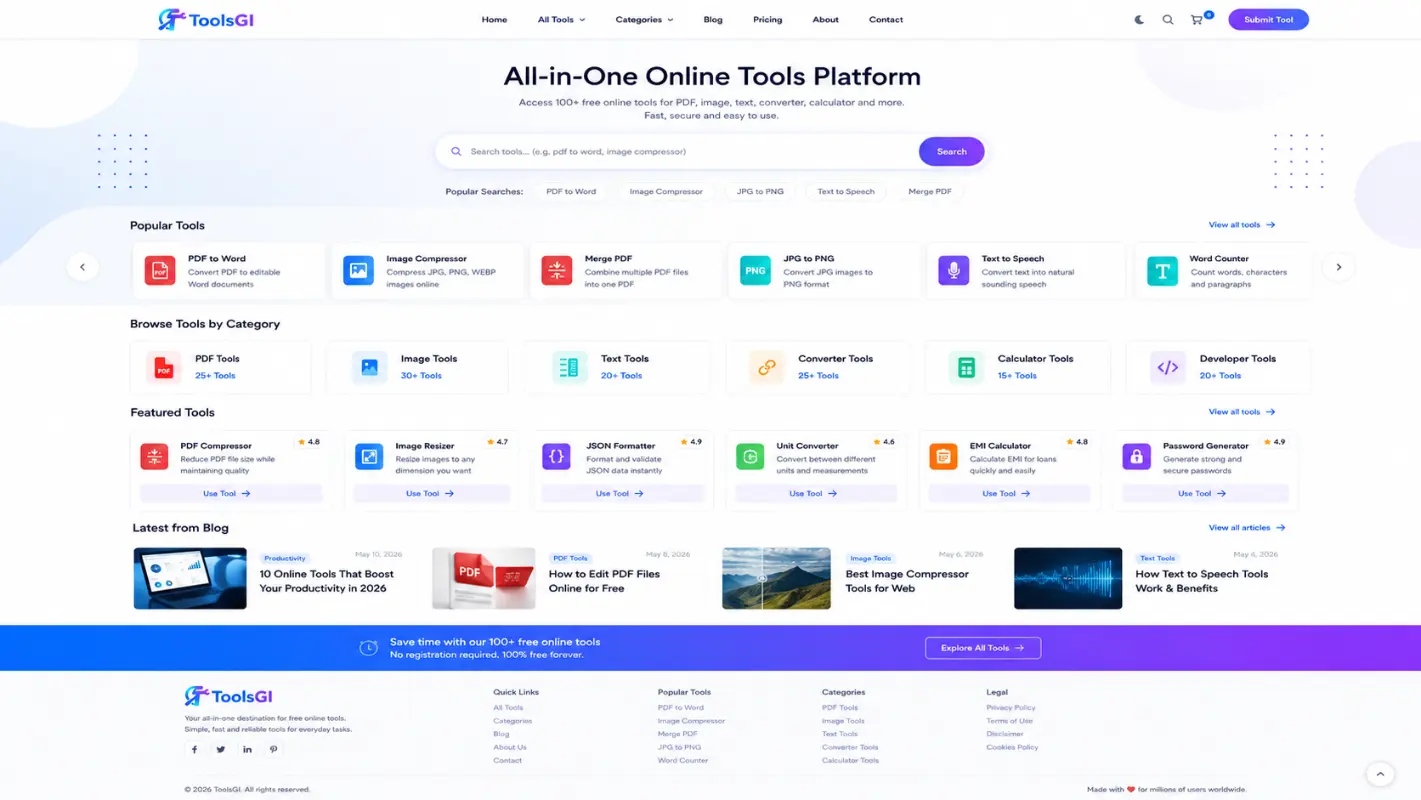
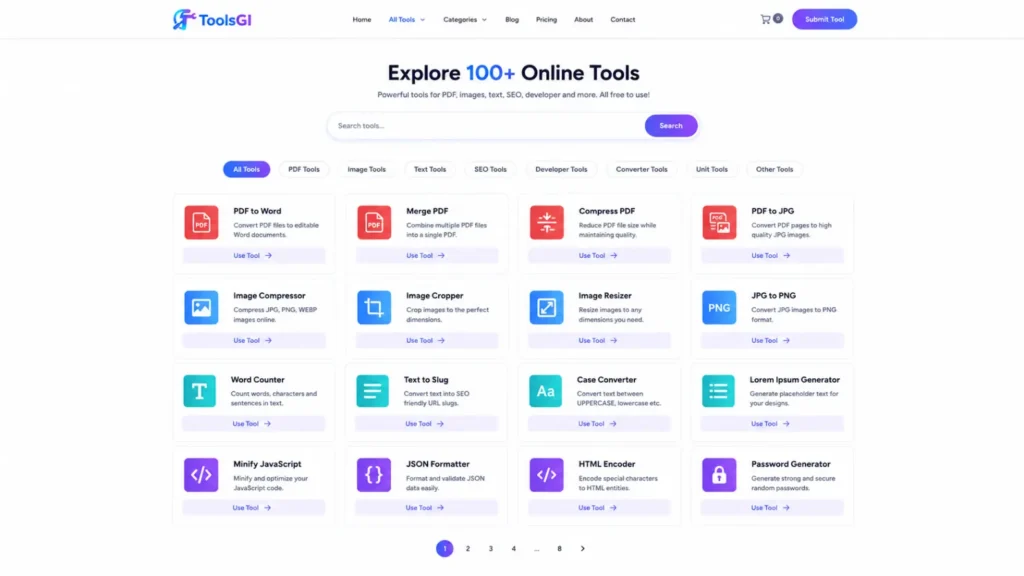

Built & Tested with ToolsGI Theme (TT)
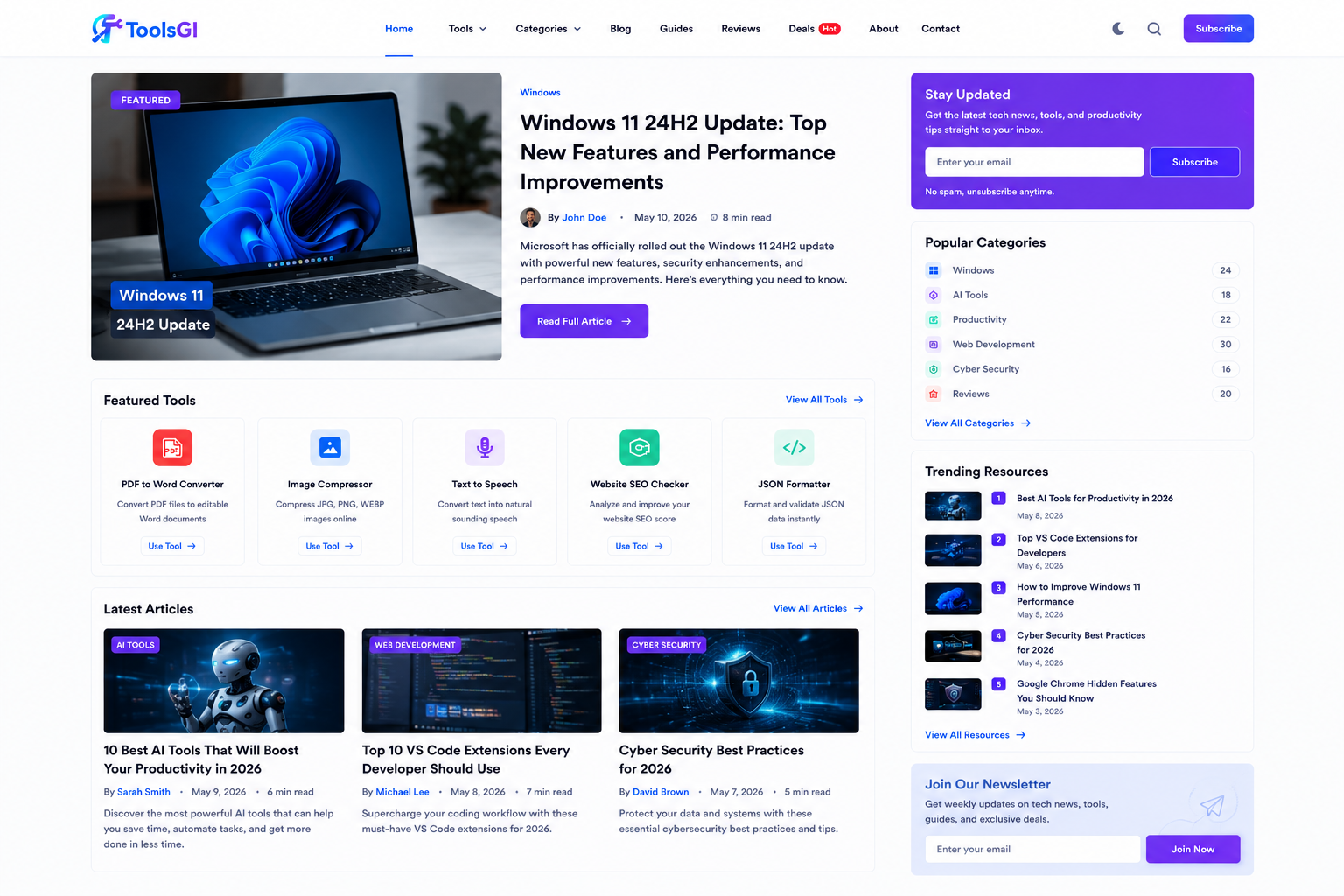
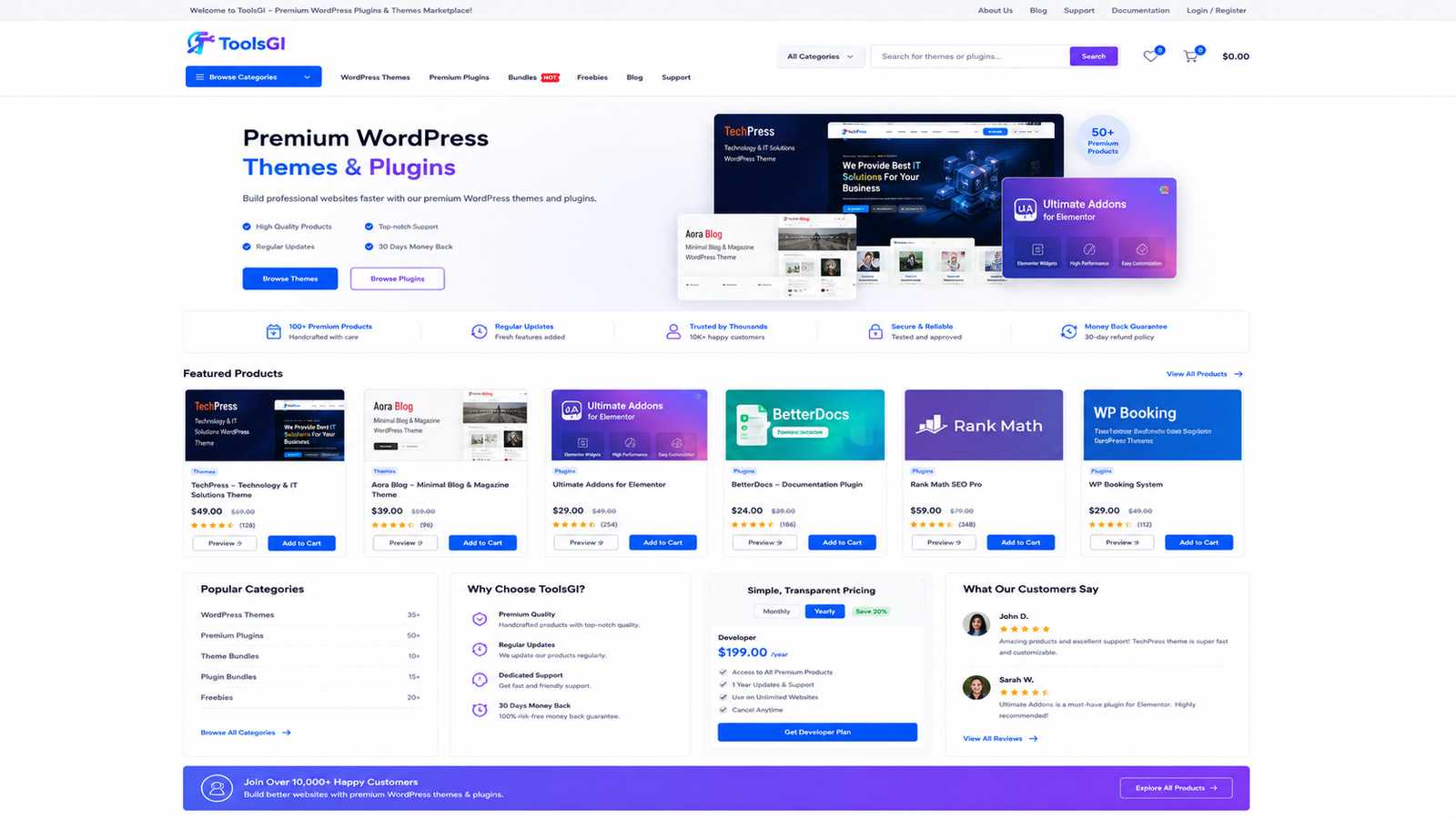
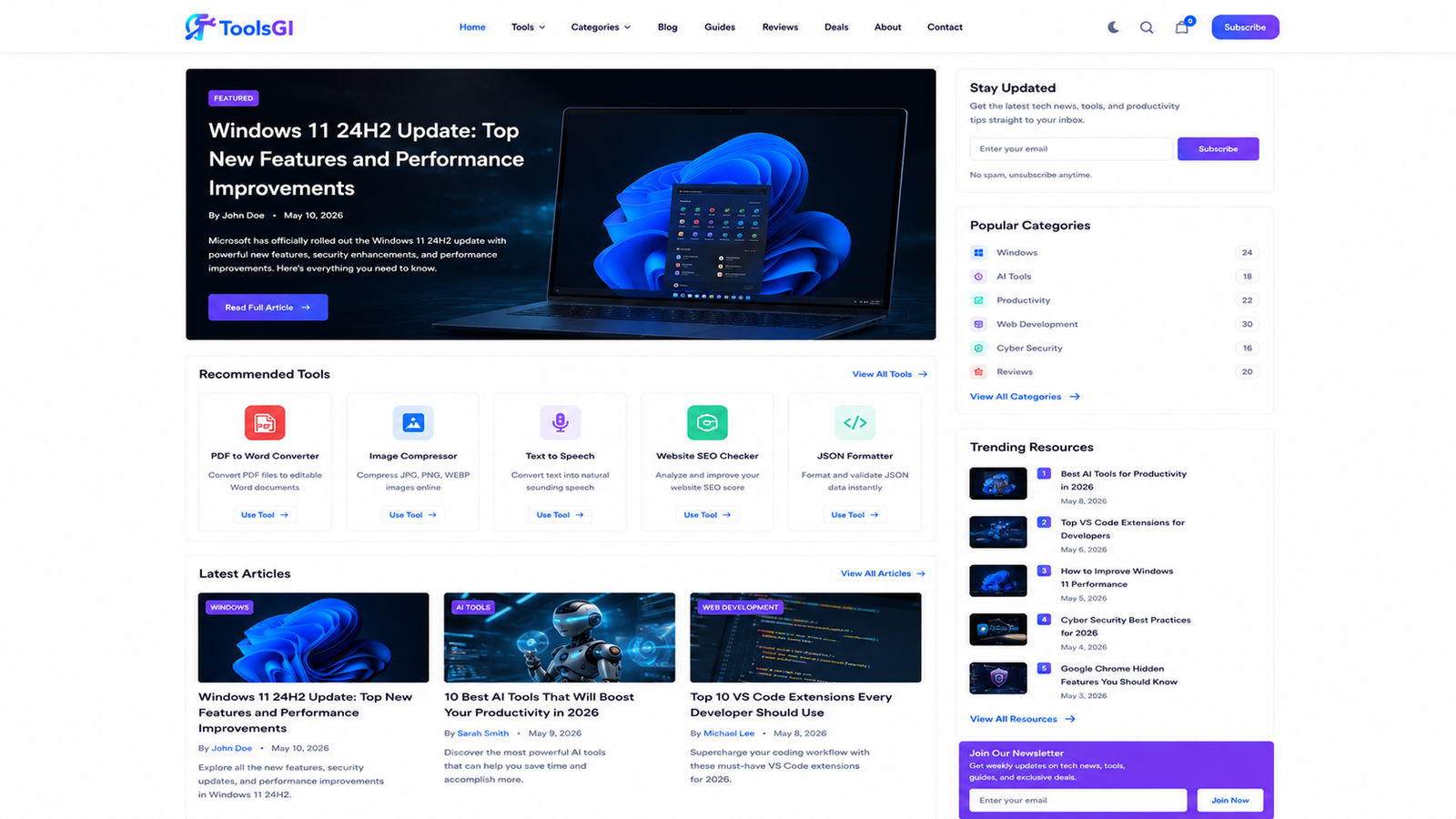
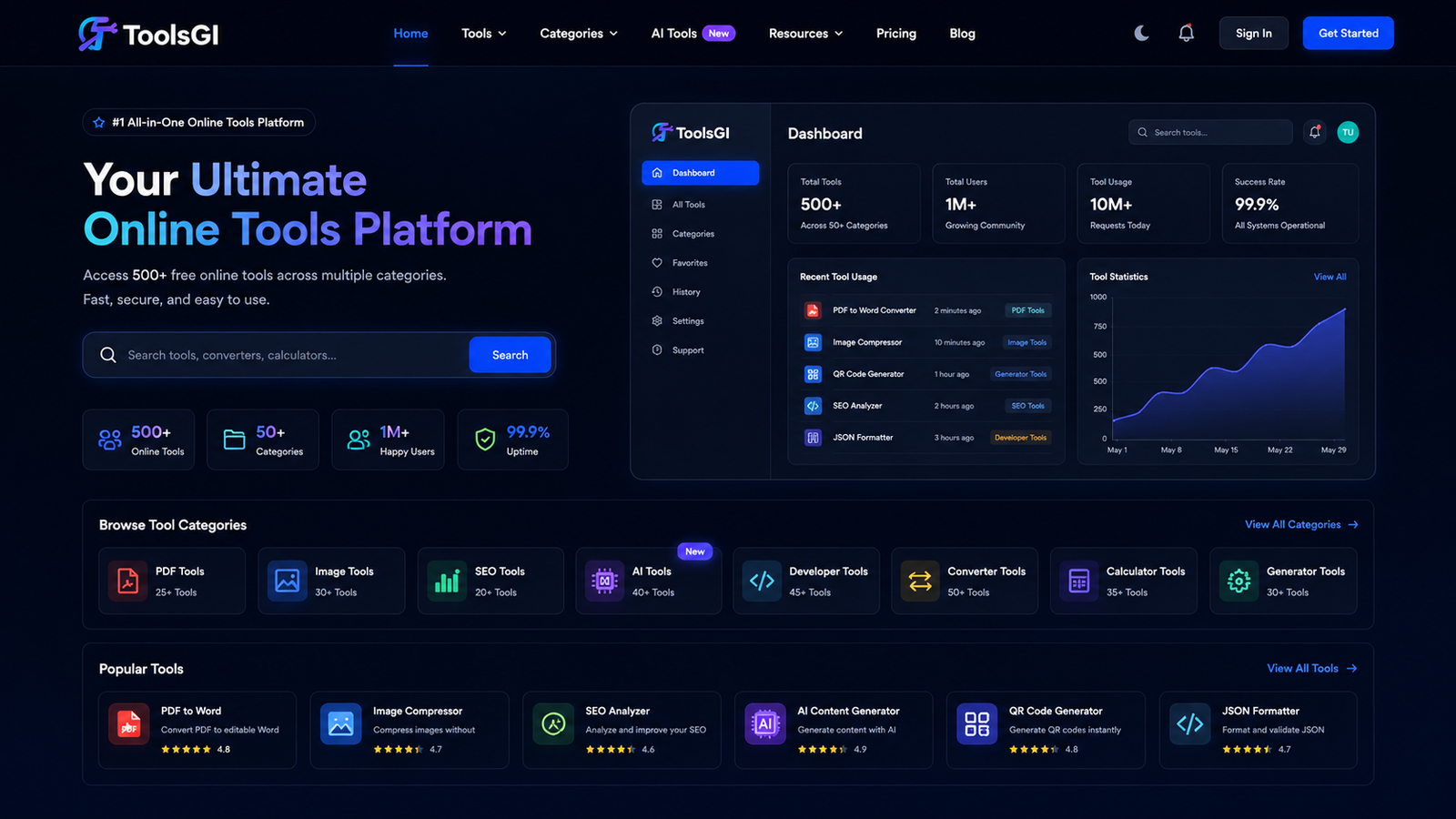
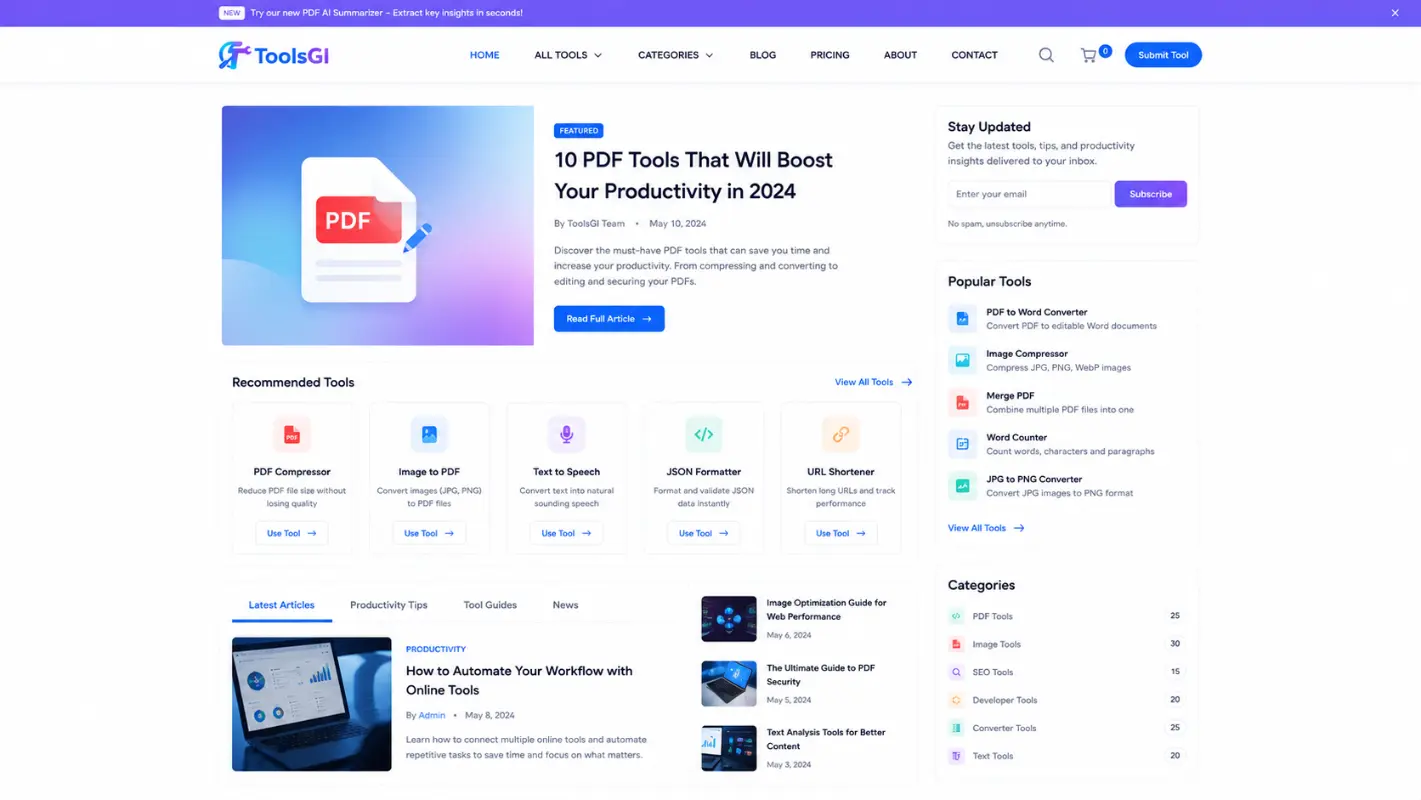
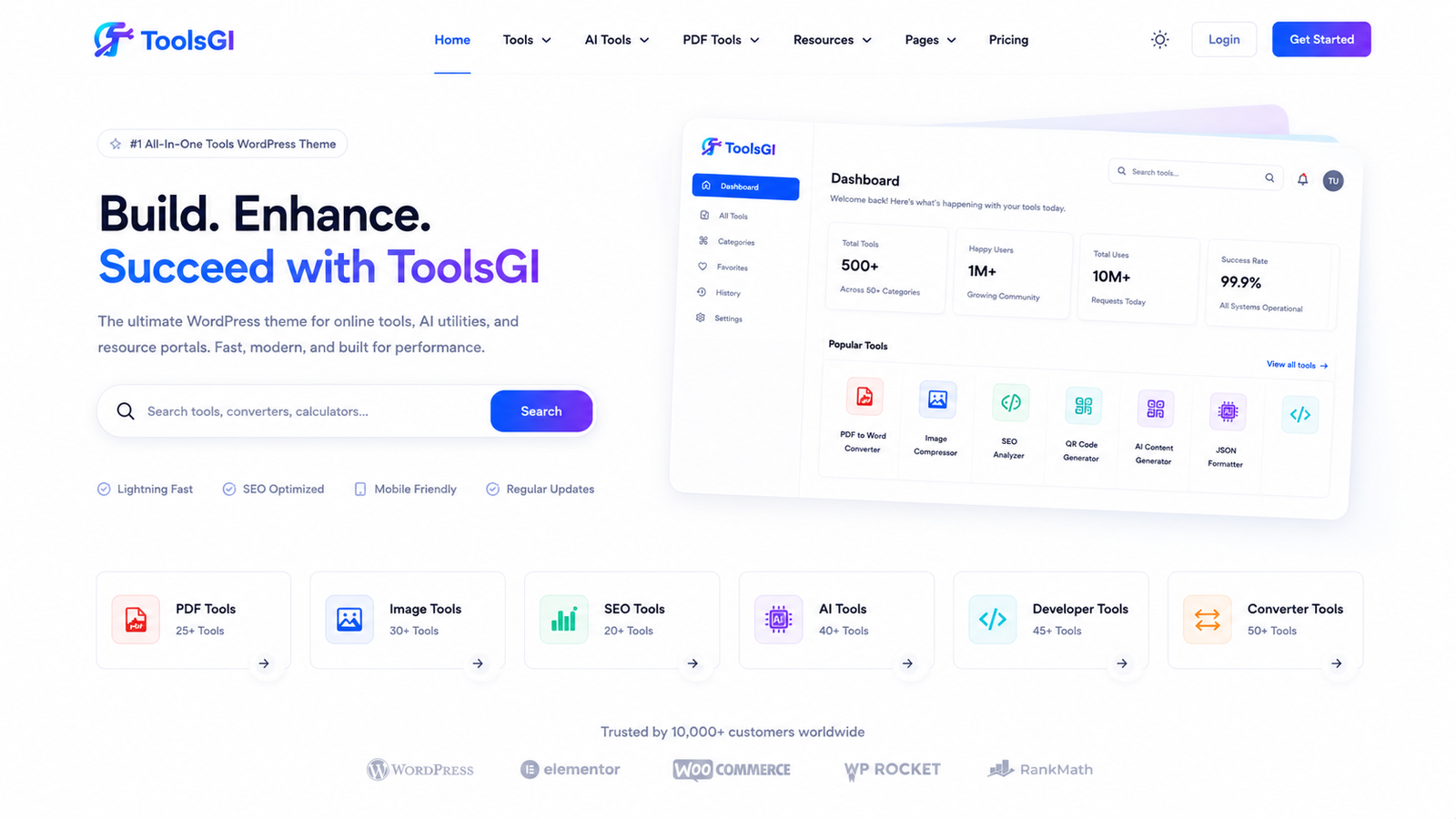
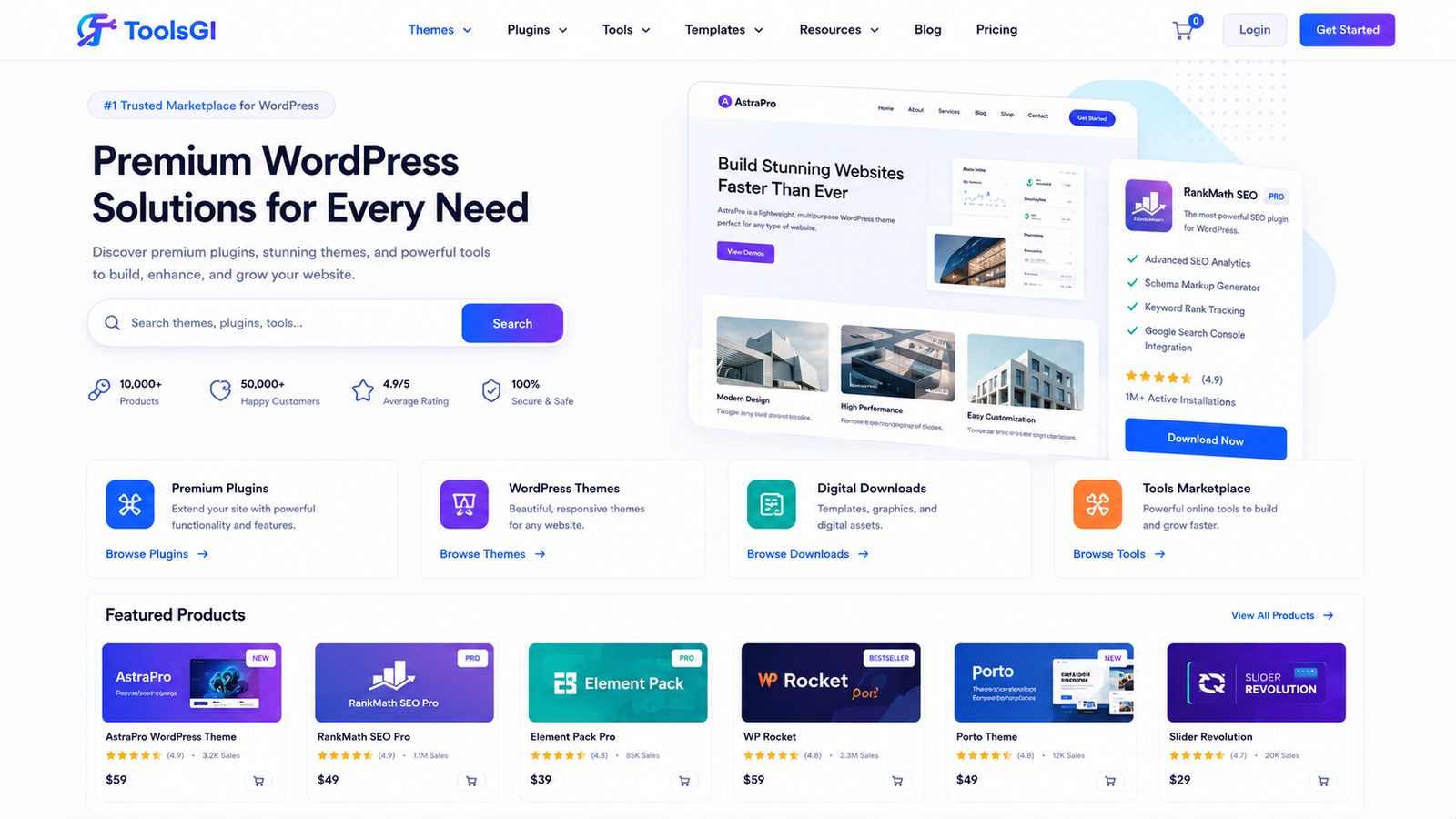
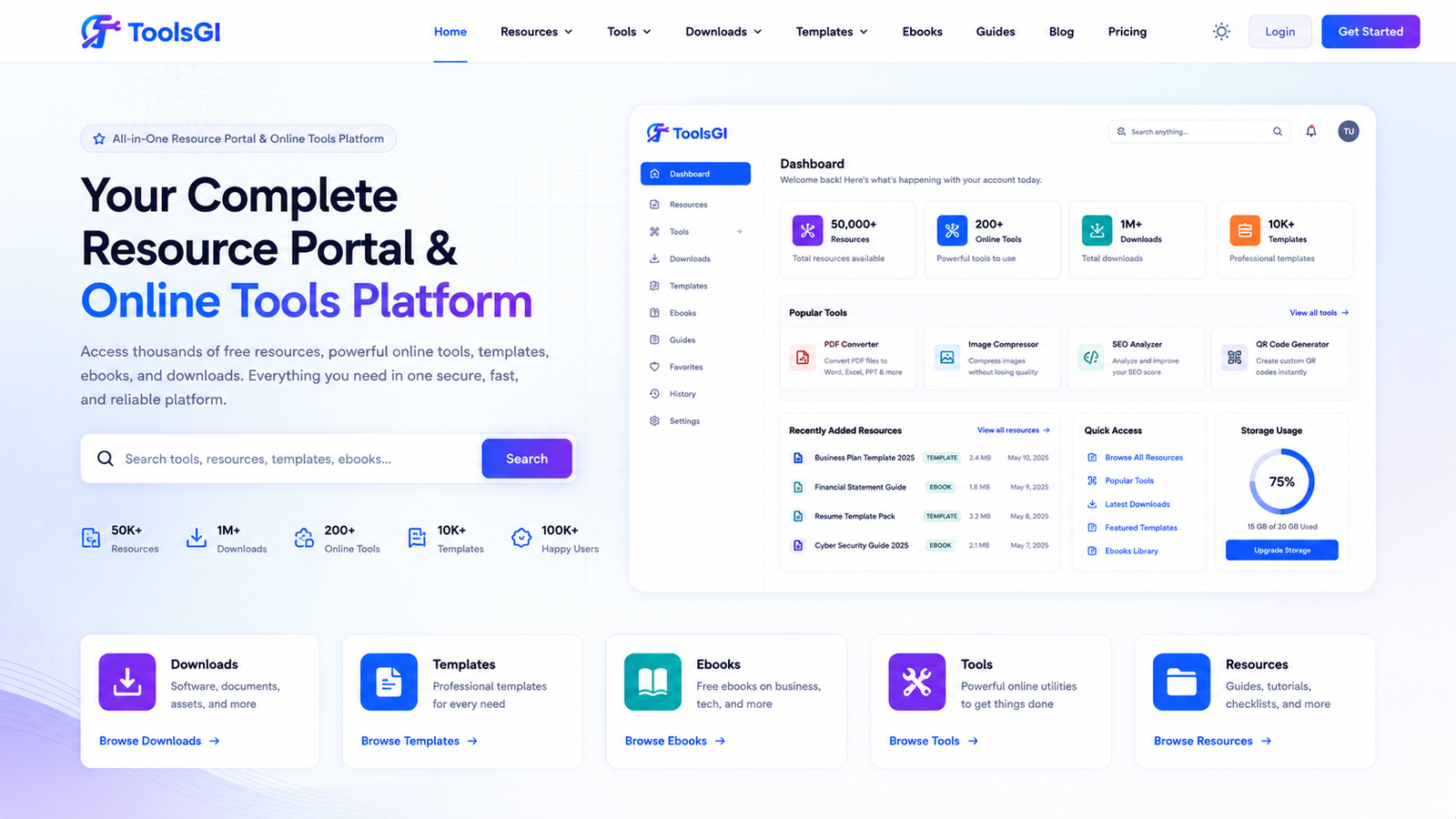
Every screenshot shown on this website is a real demo created and tested using the ToolsGI Theme. These previews showcase actual implementations, including online tools websites, AI directories, ebook libraries, digital download stores, resource portals, WordPress marketplaces, and productivity platforms. No stock photos. No purchased mockups. No misleading marketing graphics. Just genuine demonstrations of what can be built with the ToolsGI Theme.
Who Should Choose This Professional Theme
This theme is ideal for entrepreneurs building productivity tool directories, educators creating resource hubs with tools and worksheets, developers showcasing web-based utilities, content creators monetising free tools with donations, agencies building white-label tools platforms for clients, bloggers adding tools to complement content, SaaS companies presenting feature-rich tools, and non-profits distributing free educational resources.
This theme is not ideal for traditional blogs with no tools, content, e-commerce stores focused on physical products (use WooCommerce themes instead), service businesses with no digital tools, or single-page portfolio sites (use portfolio themes instead).
Performance Benchmarks and Speed Optimization
ToolsGI Theme is built with performance in mind. CSS is organised by component, JavaScript is lazy-loaded only when needed, images use native WordPress lazy loading, and tool cards render efficiently using CSS animations instead of expensive JavaScript. Sites running ToolsGI Theme typically achieve Google PageSpeed scores above 85 on mobile and 92+ on desktop.
The Real websites powered by this theme have achieved homepage load time of 1.2 seconds, time to interactive of 2.1 seconds, largest contentful paint of 0.8 seconds, cumulative layout shift of 0.05, and first input delay of 45ms. These metrics assume proper image optimisation, caching plugin activation, and hosting on standard modern servers.
Customisation Without Writing Code
While the ToolsGI Theme comes pre-built with extensive features, you can customise everything through the WordPress Customizer and the theme dashboard. The Customizer lets you adjust colours, typography, and layout in real-time with a preview. The dashboard provides admin-friendly controls for non-technical users.
For developers, ToolsGI Theme uses WordPress hooks and filters, so you can extend functionality via child themes or custom plugins. All class names, function names, and filter hooks follow WordPress standards and the toolsgi_ prefix convention, making code maintainable and upgrade-safe.
Using the Theme with Visual Page Builders
ToolsGI Theme works perfectly with Elementor, Gutenberg, and the Classic Editor. If you prefer visual page building, Elementor integration requires zero customisation. Elementor can modify any template, add custom sections, and output responsive designs without conflicts. The CSS does not interfere with Elementor‘s widget styling.
If you prefer Gutenberg (the WordPress block editor), ToolsGI Theme supports all standard blocks plus custom blocks for tool galleries, donation buttons, and stats displays. The editor styling CSS ensures content looks great in the editor and on the frontend.
Monetisation Strategies for Tools Websites
One powerful feature many overlook is how this theme simplifies monetisation. The solution includes native donation buttons powered by five different payment gateways. You can accept donations through Razorpay, PayPal, Stripe, UPI, or custom QR codes displayed directly on your pages without complex setup.
The donation buttons are customizable—you control button text, colours, and visibility. You can set different donation amounts, add custom messages, or create one-time versus recurring donation options. The admin dashboard shows donation statistics, helping you understand which amounts receive the best response from users.
Beyond donations, many tool website owners use the theme to display advertisements. It includes ad management settings where you can insert Google AdSense codes, custom affiliate links, or sponsored tool listings. The theme respects ad placement best practices, ensuring ads never interfere with tool functionality or user experience.
Some site owners monetise through premium tools or tool subscriptions. The solution integrates with WooCommerce, allowing you to sell digital product licenses, API access, or premium tool versions. The integration is native and optimised, so payment processing feels like part of your tools website experience.
Hosting Considerations for Tools Websites
Tools websites can receive significant traffic spikes when content goes viral or when tools solve problems created by trending issues. ToolsGI Theme is optimised for shared hosting, VPS, and cloud hosting environments.
For shared hosting (Hostinger, SiteGround, Bluehost), the theme requires minimal resources. It respects WordPress memory limits and includes chunked processing for backups, so even 128MB shared hosting plans can handle database exports. The lazy-loading images and CSS animation approach means even slower servers deliver good performance.
For VPS and cloud hosting (DigitalOcean, AWS, Linode, Vultr), ToolsGI Theme shines. The solution is built to scale with your growth. Whether you add 10 tools or 10,000 tools, database queries remain efficient because tool categorisation and taxonomies are indexed properly.
The backup system works on all hosting types. On shared hosting, local ZIP backups are stored outside your public directory. On cloud hosting, you can configure backups to sync automatically to Google Drive, Dropbox, or object storage like AWS S3 for perfect redundancy.
Extending the Theme with Child Themes
For developers wanting to customise beyond the admin dashboard, ToolsGI Theme supports child themes. All class names, function prefixes, and hook names follow WordPress standards, making child theme development straightforward.
You can create a child theme to customise colours more extensively, add new tool types, modify the homepage template, or create specialised tool archive pages. Child themes inherit all updates while preserving your customisations, ensuring security updates apply automatically.
The theme hooks are properly documented and follow the toolsgi_ prefix convention. This means your custom hooks never conflict with other themes or plugins. Many developers create specialised child themes for specific industries—education, SaaS, utilities, converters—all based on this solid foundation.
Final Conclusion: Building Your Tools Website Today
The ToolsGI Theme represents a fundamental shift in how WordPress themes are built. Instead of generic designs, it is purpose-built for tools websites. The entire architecture centres on making it simple for non-technical users to launch professional tools websites.
The solution understands the unique needs of tool websites in ways that generic themes never can. It recognises that tools websites need categorisation, discovery mechanisms, and tool-specific analytics. Every major feature serves this core purpose.
Whether launching your first tools site or expanding an existing platform, ToolsGI Theme eliminates technical barriers and lets you focus on building tools that users love. The combination of no-code configuration, professional design, built-in analytics, security, backups, and SEO optimisation makes this the smart choice for tools website builders.
The long-term return on investment becomes clear after six months. Site owners report higher engagement because the interface makes discovery intuitive. Monetisation becomes easier because built-in systems are already optimised for conversion. Maintenance requires less time because the dashboard handles everything without code editing.
Consider also that this theme is a one-time purchase, not a monthly subscription. Once purchased, you own it permanently. There are no recurring fees, no usage limits, and no surprise price increases as your site grows.
Start your tools website journey today by visiting toolsgi.com or toolsell.online, downloading this theme, and following the setup guide. Your professional tools website could be live within hours, not days or weeks. The